Not necessarily. In person, a tap-to-phone app on a supported smartphone can accept taps without a separate terminal. For remote bill payments, digital wallet options in an online portal or payment link let customers pay with a quick tap and confirmation, without requiring any new hardware.
Updated by Marc Hopkins on 11.19.2026
Contactless Payment Technology: How NFC Works and What It Means for Your Business
Contactless payment technology allows customers to pay without swiping or inserting a card. Instead, they hold a card, phone, or smartwatch near a reader. Most taps run on near-field communication (NFC), a short-range radio link, while one-time codes and tokens that stand in for the real card number protect the payment.
For organizations that bill customers, the move toward contactless payments has implications well beyond the checkout counter. People who tap to pay all day now expect the same speed when the monthly bill arrives, and digital wallet payments in a portal or payment link can deliver it without new hardware.
What Is a Contactless Payment?
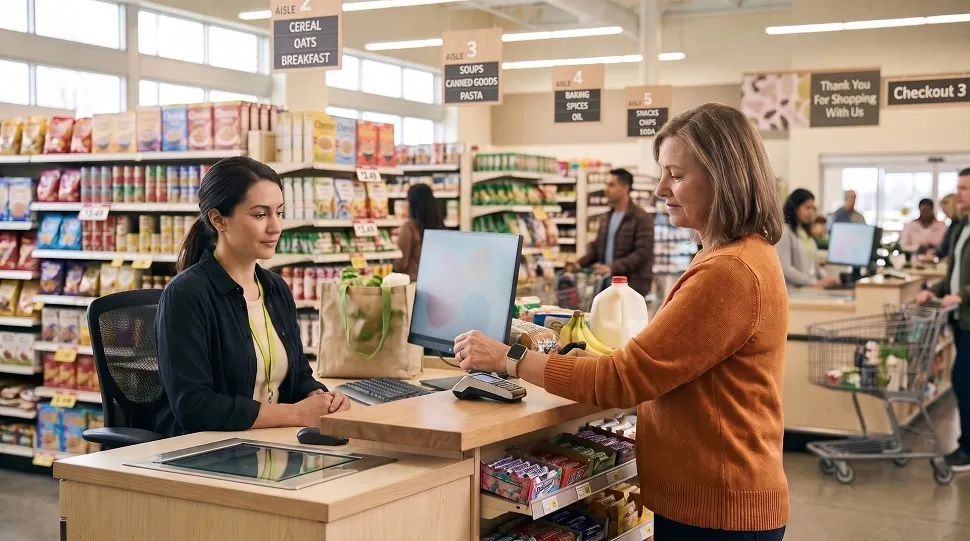
A contactless payment is a card or device payment where the credential never touches the terminal. Rather than swiping or inserting a card, the customer simply holds their payment method near the reader to complete the transaction. It comes in three everyday forms:
- Contactless cards: Chip cards with a built-in antenna, marked with the contactless indicator.
- Phones with a mobile wallet: Apple Pay, Google Pay, and Samsung Wallet store a tokenized version of a card and pay with a tap.
- Wearables: Smartwatches and rings that hold the same wallet credentials as the phone.
Tap-to-pay is now the norm at U.S. checkouts. On Visa’s fiscal Q1 2026 earnings call in January 2026, CEO Ryan McInerney said tap to pay had reached nearly 70% of Visa’s face-to-face transactions in the U.S.
Contactless payments include more than NFC transactions. QR code payments are contactless too, but they work differently: customers scan a code with their camera and complete the payment over the internet rather than through a short-range radio connection.
What Technology Does Contactless Payment Use?
Most contactless payments use NFC, a wireless standard that operates at 13.56 MHz and works only over a few centimeters, according to the NFC Forum. The short range is deliberate: a payment starts only when the card or phone is held right next to the reader.
When a phone pays, it presents itself to the terminal the same way a contactless card does. The NFC Forum also notes that NFC can transmit power as well as data over the connection.
Important: NFC only moves the data. The EMV standard and the card networks secure it, and the issuing bank decides whether to approve the payment. How safe a tap is depends on that whole system rather than on the radio link.
NFC vs. Chip, Magstripe, QR Codes, and Bluetooth
| Method | How Data Travels | Physical Contact | What the Terminal Receives | Typical Use |
|---|---|---|---|---|
| Magnetic stripe | Swipe past a magnetic reader | Yes | The same static card number and expiration date every time | Legacy fallback |
| EMV chip | Card inserted into the reader | Yes | A one-time cryptogram per transaction | In-person card payments |
| NFC contactless | Radio link within a few centimeters | No | A one-time cryptogram; wallets also send a token instead of the card number | Tap at checkout, transit gates |
| QR code | Camera scans a code, data moves over the internet | No | Depends on the app and processor behind the code | Payment links, invoices, apps |
| Bluetooth | Longer-range radio link | No | Not the standard for card tap payments | Device pairing, beacons |
The fourth column is the most important. A magnetic stripe card transmits the same reusable payment data with every swipe. Chip and contactless payments, by contrast, generate transaction-specific data that can’t simply be reused for another purchase.
How an NFC Contactless Payment Works, Step by Step
A tap feels instant, but five things happen behind it:
- The tap. The customer holds a card or phone next to an NFC-enabled terminal, and the two devices connect.
- Device check. A mobile wallet typically asks the owner to confirm with Face ID, Touch ID, or a passcode. A plastic card skips this step.
- The one-time code. The card chip or wallet generates a cryptogram for this exact transaction. A wallet also sends a device-specific token, which Apple calls a Device Account Number, along with a transaction-specific dynamic security code.
- Routing. The terminal sends the payment data to the processor, which routes it through the card network to the issuing bank. The network matches the token to the real account, and the issuer checks funds and fraud signals.
- The answer. An approval or decline travels back the same route. The funds settle later.
A tap at a terminal counts as a card-present transaction, which matters for fraud rules and processing costs. Our breakdown of card-present vs. card-not-present transactions explains why that label changes the economics.
Digital wallet payments made through an app or website don’t use NFC. However, Apple says they still use a Device Account Number and a dynamic security code, extending similar payment protections to online transactions.
Tap to Pay on a Phone: Accepting Contactless Without a Terminal
A business doesn’t always need a card terminal to accept a tap. With Tap to Pay on iPhone, a merchant can accept contactless cards, Apple Pay, and other digital wallets on an iPhone Xs or later through a supported payment app, with no extra terminals or hardware, according to Apple’s Tap to Pay page. Apple positions it for pop-ups and other off-site sales.
Often called SoftPOS or tap-to-phone, this technology uses software to turn a standard smartphone into a contactless payment terminal. The PCI Security Standards Council covers it in the Mobile Payments on COTS standard, which applies to solutions that accept contactless payments or PINs on a smartphone or similar device.
How Secure Are Contactless Payments?
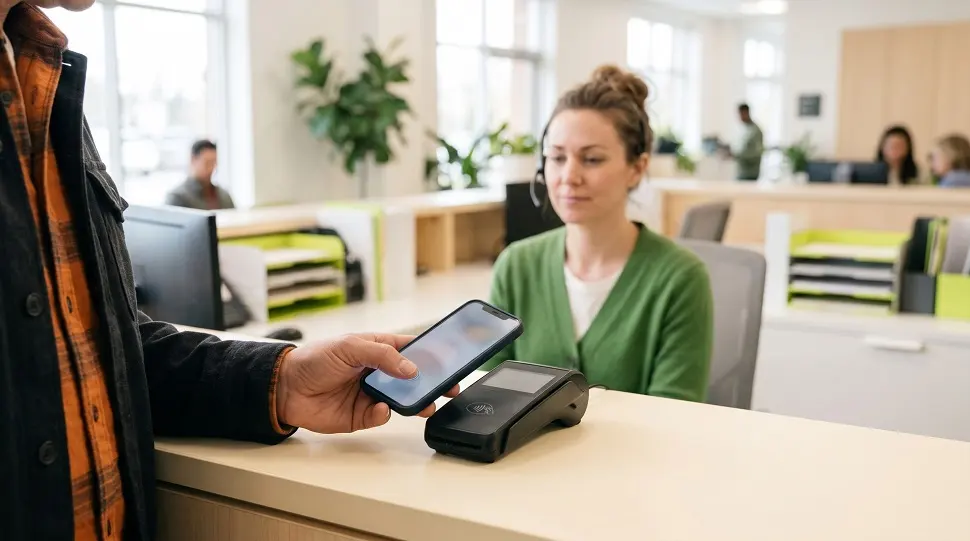
Contactless payments offer stronger protection against fraud than magnetic stripe transactions, but no payment method is completely risk-free. The protection comes in layers:
- One-time cryptograms. Each tap produces a code valid for that single transaction, so captured data can’t simply be replayed to approve another in-person payment.
- Tokenization. Apple states that each device gets its own Device Account Number, stored in the phone’s Secure Element, and that Apple doesn’t store the original card numbers. Merchants don’t receive the actual card number either.
- Biometric confirmation. A stolen phone doesn’t unlock the wallet on its own, because payments require the owner’s biometrics or passcode.
- Physical range. The reader must be held very close to the card or phone, making it difficult to capture payment data from a distance.
Network data supports this. In September 2025, Visa chief product and strategy officer Jack Forestell said tokenized transactions have a 40% lower fraud rate. He added that as EMV chip and contactless tokenized transactions spread at the point of sale, Visa saw fraud drop by almost 90%, as Payments Dive reported.
The limits also matter. A lost plastic card has no biometric lock, so it should be reported right away. Under CFPB guidance on lost cards, a cardholder owes at most $50 for unauthorized credit card charges, while debit card liability depends on how quickly the loss is reported.
Our mobile payment security guidelines list practical steps for keeping wallets and devices protected.
What Tokenization Means for PCI Compliance
PCI DSS applies to any organization that stores, processes, or transmits cardholder data. When customers pay using tokens rather than actual card numbers, fewer of your systems ever handle sensitive payment data. That can reduce the number of systems in your environment exposed to cardholder information.
Tokenization doesn’t remove PCI obligations, though. Your processor, its gateway connections, and your own integrations still need to meet the standard, so a payment partner’s compliance matters as much as the technology.
E-Complish is a Level 1 PCI-compliant service provider.
Bring Digital Wallet Payments to the Bills You Already Send
E-Complish processes Apple Pay, Google Pay, and PayPal payments as a Level 1 PCI compliant service provider and posts each payment back to your billing system by API or file. Find out which of your payment channels are ready for wallet payments.
Key Benefits of Contactless Payment
Contactless payments offer different advantages to customers making payments and organizations accepting them. Payers gain speed and control; the organization collecting the money gains cleaner data and fewer failure points.
| Benefit | For the Payer | For the Organization |
|---|---|---|
| Speed | A tap and a glance at the screen replace an insert-and-wait chip read | Shorter lines at payment windows and faster handling per customer |
| Security | Wallets share a token instead of the card number | Less real card data passing through your systems |
| Convenience | Pay with a phone or watch, no cards to carry | Another familiar way for customers to pay |
| Control | Wallet and bank apps send instant alerts after every payment | Customers spot and report unfamiliar charges sooner |
| Accuracy | No card numbers read aloud or typed | Fewer keying errors when staff no longer enter card details by hand |
Before and after, in a typical bill payment:
- Before: The customer opens a paper statement, finds a card, and types 16 digits, an expiration date, and a security code into a web form on a small screen.
- After: The customer opens a payment link, taps Apple Pay or Google Pay, and confirms with Face ID.
Limitations and Trade-Offs to Consider
Contactless payments make paying easier in many situations, but they aren’t the right fit for every customer or transaction. Weigh these before you treat tap-to-pay as the answer:
- Not every customer uses it. Cash still made up about 1 in 7 consumer payments in the Federal Reserve’s 2026 diary. Some customers prefer cards, checks, or phone payments for budgeting, privacy, or accessibility reasons.
- In-person taps need compatible hardware. A counter or kiosk accepts NFC only if the terminal behind it is NFC-enabled.
- Device dependency. A dead phone battery or an unsupported device leaves a wallet-only customer unable to pay.
- Double taps. If a terminal responds slowly, a customer may tap twice and see two pending authorizations in their banking app, which can lead to a support call.
Tip: Offer contactless alongside the payment channels your customers already use, so each customer can pay the way they prefer.
Beyond the Checkout Counter: Contactless Expectations in Bill Payment
New York shows how fast payment habits change. The MTA ended MetroCard sales on December 31, 2025 and is moving subway and bus riders to OMNY tap-and-ride.
For utilities, government agencies, healthcare providers, and other organizations that send recurring bills, the real question is how to bring that same convenience to the entire billing and payment process. A customer who taps a phone at the subway gate in the morning expects an equally quick payment when the electric bill arrives that evening.
You don’t need an NFC terminal to meet that expectation. Wallet payments in a customer portal or behind a payment link rely on tokens too. Adding digital wallet payment processing to your existing channels puts the familiar Apple Pay or Google Pay button wherever the bill reaches your customers.
The channels where this matters most:
- Text messages. A due-date reminder with a payment link lets customers pay straight from the notification through pay-by-text payments.
- Customer portals. A mobile-friendly portal with wallet buttons spares customers from typing card details on a phone.
- Email. A one-click payment link in an e-bill turns a statement into a checkout.
The back office matters just as much as the button. Every wallet, card, and phone payment should appear in a single reporting dashboard and automatically sync with your billing system, either through a real-time API connection or daily file transfers. Without that, each new channel adds another reconciliation task for your accounting team.
Where Contactless and Wallet Payments Fit by Industry
| Industry | Payment Moment | Channel That Fits a Tap-First Customer |
|---|---|---|
| Utilities | Monthly bill, past-due notice | Text or email link with wallet checkout, portal autopay |
| Government | Permits, fees, taxes, fines | Hosted payment portal with wallet buttons |
| Healthcare | Patient balance after a visit | Secure text link with wallet checkout |
How to Evaluate Contactless and Wallet Payments for Your Organization
Before you add a new payment option, run through this checklist with your finance, IT, and customer service leads:
- Where do our customers pay today: in person, online, by phone, or by text?
- Does our processor support Apple Pay and Google Pay in every one of those channels?
- Do our systems store real card numbers, or only tokens?
- How does each payment reach our billing system: real-time API posting or batch files?
- Can we see every channel in one report and reconcile it daily?
- How do we prevent and resolve duplicate payments?
- What compliance level does our payment partner hold: PCI DSS, HIPAA, NACHA?
Each “no” or “not sure” marks a gap to close with your processor before you promote a new payment option to customers.
Where to Go from Here
Contactless payment technology combines short-range NFC communication with payment tokens and transaction-specific security codes, making each tap both quick and more secure. It won’t replace every other payment method. What it has changed is what customers expect from every payment, including the bills you send.
Start with the checklist above and note where your payment channels fall short. E-Complish supports digital wallet payments, including Apple Pay, Google Pay, and PayPal, alongside a customer payment portal and Text2Pay reminders with payment links.
Payments post back to your billing system through an API or file imports, under Level 1 PCI compliance. Contact our team at E-Complish for a free analysis of which channels are ready for wallet payments.
Table of Contents
Frequently Asked Questions
Do we need NFC terminals to offer contactless payments?
Will accepting wallet payments expand our PCI scope?
Wallet payments arrive as tokens, so your systems handle less real card data. You still need a PCI-compliant processor and integrations, because tokenization reduces exposure rather than removing PCI obligations.
Can a customer accidentally pay twice?
A slow response can lead a customer to tap or click twice and see two pending authorizations. Ask your processor how it identifies and stops duplicate transactions before they settle.
Are tap and wallet payments safe for customers who worry about fraud?
A tap carries a cryptogram valid for that transaction only, and a wallet shares a token rather than the card number. If fraud happens, federal rules limit how much cardholders can owe for unauthorized charges.
What about customers who don’t use mobile wallets?
Keep their channels open. Wallets work best as one option alongside cards, phone payments, and other methods.
Table of Contents

Marc Hopkins
Groomed in the credit and collection industry since 1990, Marc quickly advanced into credit and collection management with a large…